
Entralyzer Delegation
Entralyzer lets you safely delegate access to other administrators without requiring broad, high-risk roles like Global Admin. With granular, role-based permissions, you can control exactly what each admin can see and do within the app such as viewing reports, running audits, or managing specific tenants. This approach follows the principle of least privilege, reducing security risk while enabling teams to collaborate efficiently and confidently.
Currently Entralyzer has two roles. If you need additional roles please contact support.
Step 1. Click on Delegation and Users
Step 2. Click “Add User”
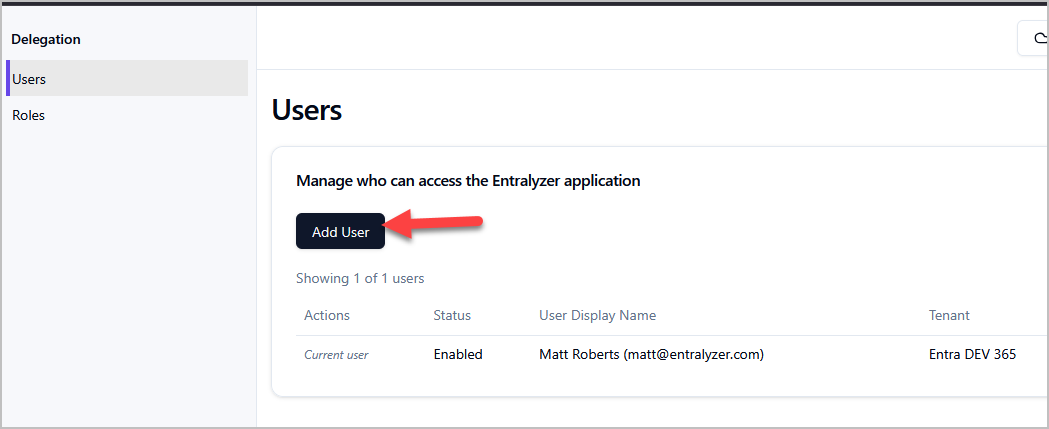
Step 3. Search for the user you want to add.
Step 4. Select the Role and click “Add”.
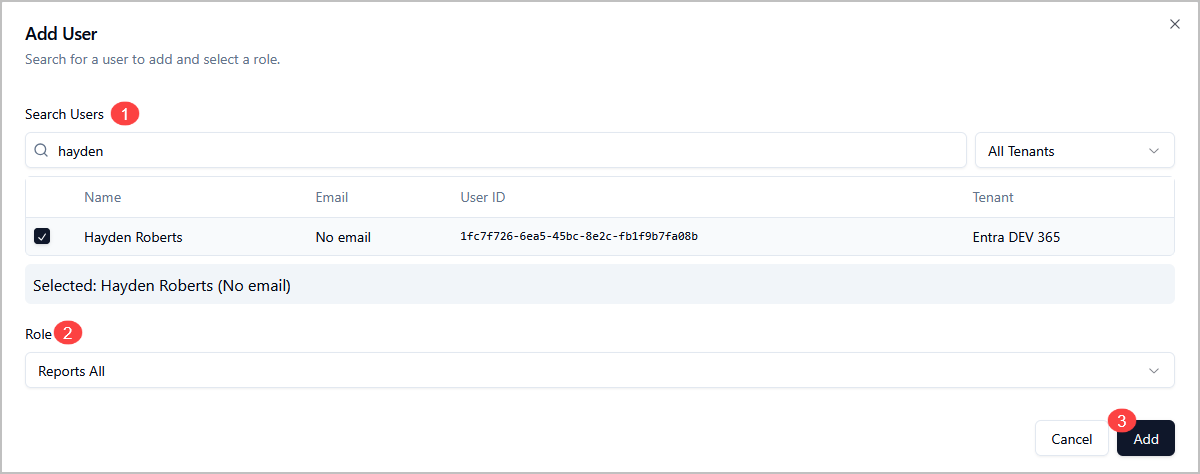
Now the added user can sign into the Entralyzer application.